
Getting paid faster in a dental practice usually has less to do with working harder and more to do with removing delays from the payment process. One of the most practical ways to do that is to enroll with each insurance payer for both EFT and ERA.
EFT sends the money electronically to the practice bank account. ERA sends the remittance details electronically, usually as an 835 file, so the team can post payments, review adjustments, and track denials without waiting on paper. When both are active, payment and posting move together instead of arriving on separate timelines.
What dental ERA and EFT mean for reimbursement speed
CMS defines EFT as the electronic message a health plan uses to instruct a bank to transfer funds to a provider’s bank account. CMS defines ERA as the payer’s electronic explanation of claim payment, including remittance advice and payment information. In day-to-day dental operations, that means EFT is the deposit and ERA is the explanation behind the deposit.
Practices often enroll in one and assume the other is included automatically. That is not always the case. CMS advises providers to enroll for both EFT and ERA through each health plan they participate with. That point matters because a fast deposit without a matching ERA still creates posting delays, manual research, and patient balance confusion.
CAQH CORE payment and remittance operating rules also matter here. They support standard enrollment data sets and the reassociation process used to connect the money movement with the remittance details. In practical terms, the process is supposed to rely on standard information, not a different freeform setup for every payer, even though each portal may still look a little different.
Why dental practices should enroll in both EFT and ERA
Many dental offices first look at EFT because the bank deposit feels like the biggest win. It is a good start, but ERA is what makes that money usable inside the practice management workflow.
When ERA is active, the billing team receives structured remittance data that can support faster posting and cleaner follow-up. Some payers also stop mailing paper remits once ERA is turned on, so the office should be ready to receive and use electronic files from day one.
A practice that enrolls in both usually gains:
- Faster payment delivery
- Quicker reconciliation
- Less manual posting
- Better visibility into denials and adjustments
- Lower risk of paper EOB delays
That last point is easy to overlook. If a practice activates electronic remittance but staff are still waiting for mailed paperwork, they may think the payer failed to send details when the office actually needs to retrieve the ERA through a portal, clearinghouse, or EDI connection.
Information needed before dental ERA/EFT enrollment
Most enrollments move faster when the office gathers the standard identifiers and banking records before opening the payer portal. CMS points to the practice TIN and clinician NPI as core starting information. Many payers also ask for practice address, contact information, and a provider or group identifier tied to the payer’s system.
ERA setup may require details that the front desk does not always have on hand. A payer or state portal may ask for a 9-digit Submitter ID, the clearinghouse name, and the contact details for the person who manages electronic claims or remits. If the office uses an outside billing company or clearinghouse, those fields need to match how claims are currently routed.
The banking side should be prepared as carefully as the provider data.
| Enrollment item | Why it is needed | Common source |
|---|---|---|
| TIN | Confirms tax entity receiving payment | IRS/tax records |
| NPI | Identifies billing provider or group | NPPES record |
| Bank routing and account number | Directs EFT deposit | Bank document |
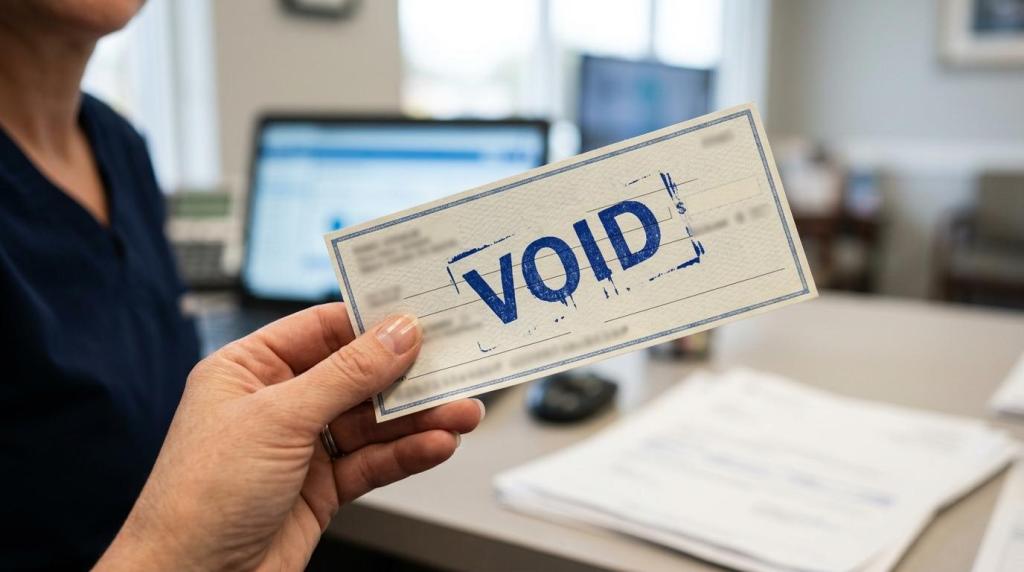
| Voided check or bank letter | Supports bank account validation | Bank or check stock |
| Submitter ID | Routes ERA/835 to the right electronic receiver | Clearinghouse or EDI setup |
| Contact email and phone | Used for notices, errors, or approval updates | Practice admin record |
A short prep review can save days of back-and-forth. If the legal business name on the bank account does not match the payer enrollment record, or if the NPI/TIN combination is outdated, the payer may reject the request or place it on hold.
Step-by-step dental ERA/EFT enrollment with insurance payers
The exact screens vary by payer, but the pattern is usually the same. A portal, online form, or enrollment packet collects standard data, verifies the bank account, and links ERA delivery to the provider or submitter record.
Step 1: Identify the payer’s enrollment channel
Start with the payer’s provider portal or EDI page. Many commercial payers now route enrollment through an online workflow instead of paper forms. Cigna, for example, describes an EFT path that starts with portal login, then a selection under provider tools, followed by an electronic enrollment form.
Some plans still use local handling rules. Blue Cross and Blue Shield plans can be a good example of this. One local plan may direct providers to contact the local Blue plan for 835 ERA enrollment, even if other parts of the process are online. That is why staff should verify instructions at the plan level, not just assume all brands work the same way.
Step 2: Confirm whether enrollment is at the group level or provider level
This is where offices can lose time. Some payers enroll the tax entity once for all associated providers. Others want enrollment tied to a specific billing provider, pay-to entity, or service location.
If the practice has multiple NPIs, multiple locations, or a management structure with separate bank accounts, check the scope before submitting. One approved EFT does not always mean every dentist, specialty, or location is covered.
Step 3: Enter EFT banking information carefully
Use bank records, not memory. Enter the routing number, account number, account type, and account holder name exactly as they appear in bank documentation. Many payers ask for supporting proof, often a voided check or bank letter.
Cigna notes that it sends a pre-note transaction to verify banking information after EFT enrollment. That is common. A pre-note does not move claim funds, but it helps confirm the account can accept the payment format. If the bank rejects it, the payer may pause activation until the information is corrected.
Step 4: Set up ERA delivery and 835 routing
ERA enrollment is not only about saying yes to electronic remits. It is also about deciding where those remits should go. Some practices receive ERAs directly into their software or payer portal. Others route ERAs through a clearinghouse or billing partner.
The enrollment form may ask for:
- Submitter ID: The electronic receiver for the 835 file
- Clearinghouse name: Needed when remits pass through a third party
- Contact person: The staff member or vendor who handles EDI issues
- Email and phone: Used for enrollment notices and troubleshooting
Pennsylvania’s DHS electronic remittance process is a useful example of how specific these fields can get. Its ERA enrollment asks for a 9-digit Submitter ID and, when relevant, clearinghouse information and contact details. Dental payers often collect similar information even when the labels differ.
Step 5: Review how the payer handles paper remits after ERA activation
This step gets skipped more than it should. Some payers stop sending paper remittance advice once ERA is active. Pennsylvania’s DHS states that providers enrolled for 835/ERA are not eligible to receive paper remittance advice by mail. Other payers may still offer a downloadable summary, portal PDF, or electronic payment summary.
That means the office should know exactly where staff will access remittance details after go-live. If the ERA lands in a clearinghouse portal but the payment posting team is looking in the practice management system, the practice may think remits are missing when they are simply being delivered elsewhere.
Step 6: Watch for approval notices, pre-note status, and effective dates
Submission is not activation. Track approval emails, portal notices, and requested corrections. EFT and ERA can have different effective dates, even when they were enrolled together.
It helps to keep a simple tracker by payer with the submission date, ticket number, banking verification status, ERA routing status, and go-live date. That makes it easier to spot whether the deposit is active before the remittance file, or the reverse.
Step 7: Reconcile the first payment and first ERA together
Once the first electronic payment arrives, do not assume everything is working just because money hit the account. Match the EFT deposit to the ERA or 835 file and verify that the payment posts correctly.
This is where reassociation matters. The EFT and ERA are meant to be matched using standard data, including the reassociation trace information often tied to the TRN segment. If the office cannot tie the deposit to the remittance, staff should pause and fix the routing before a larger backlog builds.
What the dental ERA 835 file actually contains
Many practice owners hear “835” and think of it as a technical billing file that only software vendors need to care about. It is more useful than that. The ERA contains the details that explain how the payer processed the claim and what to do next.
A typical ERA includes payer and payee information, payment amount, denial information, adjustment amounts, and reason codes. CAQH CORE payment and remittance rules support consistent use of claim adjustment and denial codes, including CARCs and RARCs, which makes the data easier to interpret across payers.
For billing teams, that file supports tasks like these:
- Posting insurance payments
- Identifying underpayments
- Working denials
- Updating patient balances
- Auditing payer behavior over time
When the office receives EFT without a usable ERA, all of that becomes slower. Staff may need to hunt through payer portals, PDFs, or phone calls to figure out why a payment was reduced or why a claim line was denied.
Common dental ERA/EFT enrollment problems that delay payment
Most enrollment issues are not complicated. They are small mismatches that stop an otherwise routine request.
A few problem areas show up repeatedly in dental offices.
- TIN/NPI mismatch: The enrollment record does not match the payer’s provider file.
- Bank account mismatch: The account holder name or account type conflicts with the submitted documents.
- Wrong ERA destination: The 835 is routed to the wrong clearinghouse or Submitter ID.
- Partial enrollment: EFT is active, but ERA was never completed.
- Portal ownership confusion: No one knows who has access to the payer portal where approval notices are posted.
There is also a workflow issue after activation. Some plans tie ERA enrollment to related electronic summaries. BCBSOK notes that providers must enroll for ERA to receive the Electronic Payment Summary, and ERA enrollment can trigger that setup automatically. If the office does not know that relationship exists, staff may miss important remittance information even though the payer is sending it.
What to hand off to your dental billing team after approval
Enrollment is only the front half of the job. After approval, the billing side needs a clean handoff so the new setup actually improves cash flow.
That handoff should include the payer name, effective date, where the ERA is delivered, which bank account receives EFT, and who to contact if the 835 stops flowing. If the office uses outside billing support, this handoff should happen before the first payment cycle under the new setup.
A useful post-approval checklist looks like this:
- Confirm deposit account
- Confirm ERA destination
- Verify autopost settings in software
- Save approval emails and reference numbers
- Train staff on the new remittance access path
When that information is documented well, payment posting becomes more predictable, follow-up gets easier, and the office spends less time chasing details that should have arrived automatically.